

What is Gamma?

Gamma AI is a platform that uses Artificial Intelligence (AI) to create presentations, documents, and web pages all from basic text input. The AI presentation maker promises aesthetic and sleek designs, all while requiring no design skills whatsoever. It’s designed to make content creation easier by simplifying the process and improving the quality of the output. Gamma can be used by individuals, teams, and small businesses alike to improve their presentations.
The fact of the matter is that the AI presentation market is becoming increasingly more competitive with new tools like Presentations.AI constantly growing. To really understand if Gamma is right for you, check out the rest of this Gamma AI review.
Gamma Features and Outputs
In the increasingly competitive AI presentation market, tools like Presentations.AI and Gamma AI need to become increasingly more plentiful in advanced features. Let’s take a look at some of the features that set Gamma AI ahead of the rest of the game.
AI-generated Content
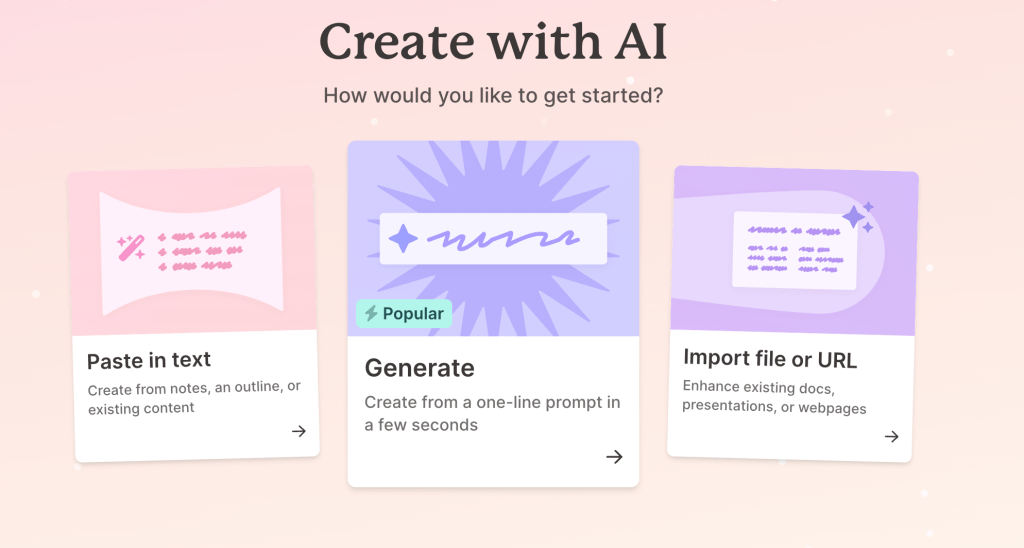
Gamma AI, hence the name, composes of multiple advanced presentational generative-AI capabilities. Gamma AI can generate presentations, documents, and websites from simple one-line prompts, notes, outlines, existing documents, and other web pages.
Website Builder
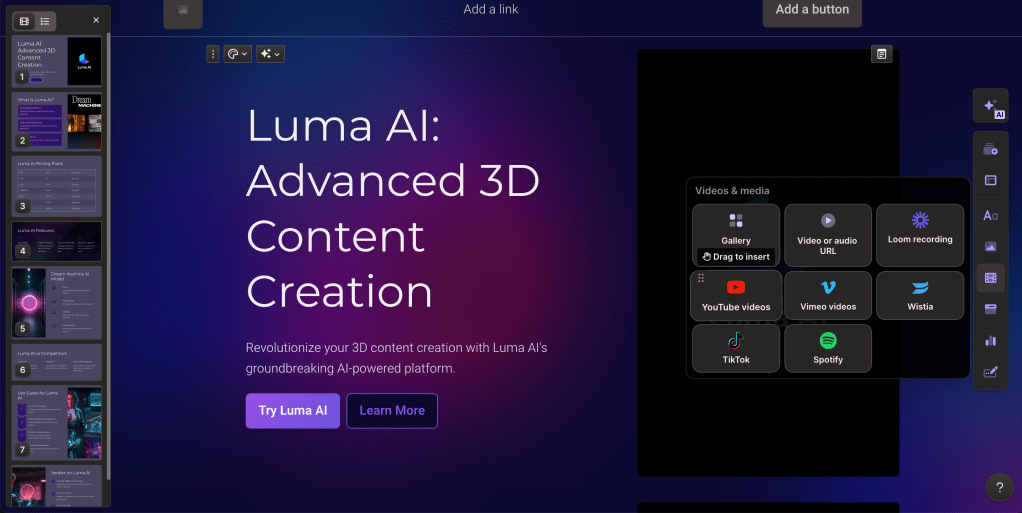
Gamma AI has the ability to generate full websites and web pages from simple text and uploads. Below you can see a screen shot of a real website Gamma generated with the input being my Luma AI blog post.

Built-in Publishing Tools
Gamma AI’s interface allows for users to immediately and easily publish all their generations. You can see the generated and now published website above here.
Drag and Drop Integration
Gamma AI offers its users an extremely friendly interface filled with interactive elements. Each element has the ability to be dragged and dropped making it a breeze when it comes to further customizing your slide deck.
PPT/PDF Export
Gamma AI presentations allows for every single generation to be exported as either PDFs, PPTs (PowerPoints), or PNGs.

Detailed Analytics
Gamma AI offers users of certain plans to access the dashboard and analytics to help them understand who’s looking at their work and what resonates with their audience. To learn more about Gamma analytics and how it enhances data visualization, click here.
Gamma Use Cases
Thanks to Gamma’s advanced AI models, the presentation maker has numerous applications across many industries including education, health, and business. Let’s take a deeper dive into how Gamma AI can be implemented into our day-to-day lives by streamlining the content creation process.
1. Educators

Gamma AI is a great tool to be incorporated for educators and teachers. With Gamma AI’s customizable templates and friendly interface, the tool can help save educators hours every week on making presentations. By simplifying design work, teachers can focus on enhancing the quality of their content, making Gamma AI an essential tool for improving efficiency in the classroom.
2. Marketers and Agencies

Gamma AI is an extremely powerful and useful tool for marketers and agencies, offering a quick and efficient way to create polished presentations and client material. Its intuitive drag-and-drop feature allows you to seamlessly integrate charts, videos, and other elements, making your content more informative, visual, and professional. Additionally, its collaboration features allows for teams to work together on the same project. Overall, Gamma AI allows marketers and agencies to deliver high-impact professional presentations while saving hours of time.
3. Personalized Portfolio Creation

Gamma AI’s Beta Website Builder makes creating personal portfolios effortless, using just text inputs. It’s perfect for job seekers or anyone wanting to showcase their skills. The example above is a real site built with a few words, highlighting Gamma’s simplicity and power in website generation. All in all, Gamma AI is absolutely amazing when it comes to basic website generation and even better for personal portfolio generation.
Gamma Pricing
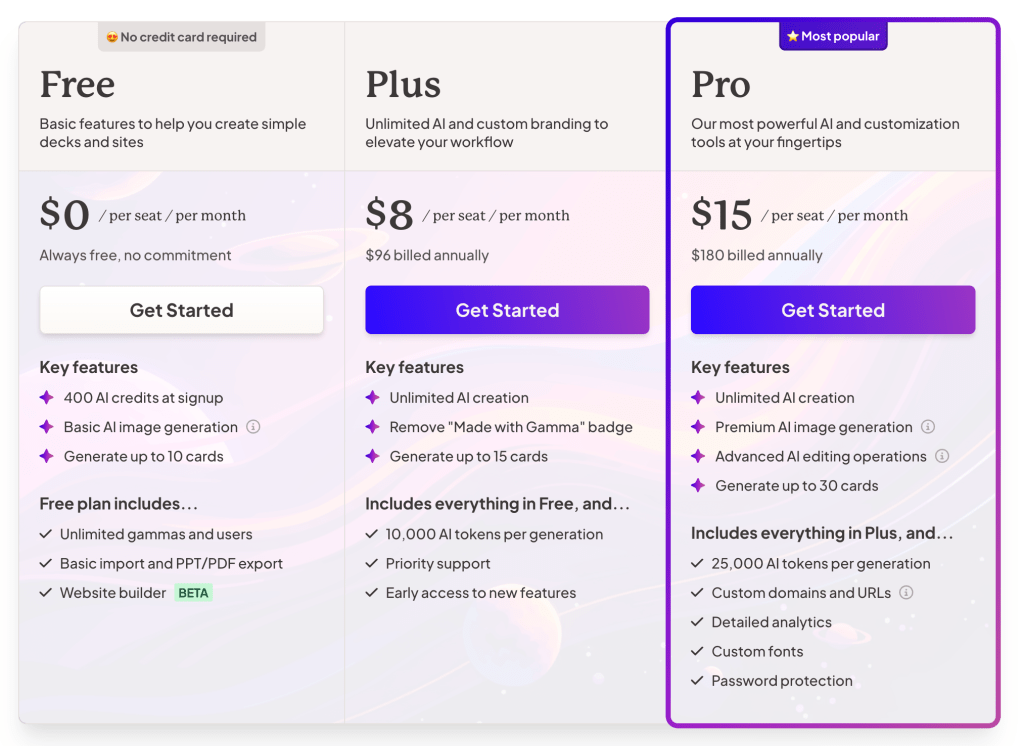
Gamma offers three different pricing plans to meet the variety of demands that come from its users. Let’s take a look at each plan.
Free Plan/Trial
Gamma AI’s Free Plan offers an affordable and accessible way to explore its cutting-edge AI capabilities without breaking the bank. This plan is packed with essential features that allow users to experience AI-driven tools while keeping costs absent.
The Free Plan includes:
- 400 AI Credits to test out Gamma’s functionality
- Basic AI Image Generation
- Up to Ten Highly Customizable Cards (Gamma AI slides)
- PPT and PDF import/export capabilities
- Collaboration with unlimited new users
- Access to Gamma’s Beta Website Builder to generate web pages
This plan is particularly suited for those new to Gamma AI, providing a risk-free opportunity to determine if Gamma is the right tool for their needs.
Plus Plan
The Plus Plan, priced at an affordable $8 a month, offers so much more access to Gamma’s advanced features. The Plus Plan includes everything in the Free Plan and:
- Unlimited AI Generation to meet high demands
- No Watermark to allow for custom branding
- Up to Fifteen Highly Customizable Cards
- 10,000 AI Tokens per generation
- Priority Support
- Early Access to all the new features that roll out
This plan is tailored for individuals or teams looking to frequently use Gamma’s advanced AI capabilities. With unlimited AI generation and enhanced customization options, this plan ensures users have access to all the necessary AI features.
Pro Plan
The Pro Plan, priced at $15 a month, is the heftiest plan of all. This plan offers access to all the features with the least restrictions. The Pro Plan includes everything in the Plus Plan and:
- Premium AI Image Generation
- Advanced AI Editing for further personalization
- Up to Thirty Highly Customizable Cards
- 25,000 AI Tokens per generation
- Custom Domains and URLs
- Detailed Analytics
- Additional Custom Fonts
- Password Protection and enhanced security measures
The Pro Plan is tailor-made for individuals and teams looking to fully harness Gamma AI’s advanced capabilities. This top-tier plan offers maximum flexibility and the fewest restrictions, making it ideal for professionals who need to push their AI projects to the next level.
Gamma Alternatives
Like discussed, the AI presentation market is more competitive than other, with each AI model and software offering unique selling points. Let’s take a look at how Gamma AI compares with two other major AI presentation makers.
Gamma AI vs. Canva Magic Design
Canva Magic Design is a free online AI design tool built into Canva. It’s AI requires a text prompt and will then generate a slideshow/slidedeck suited for your topic.
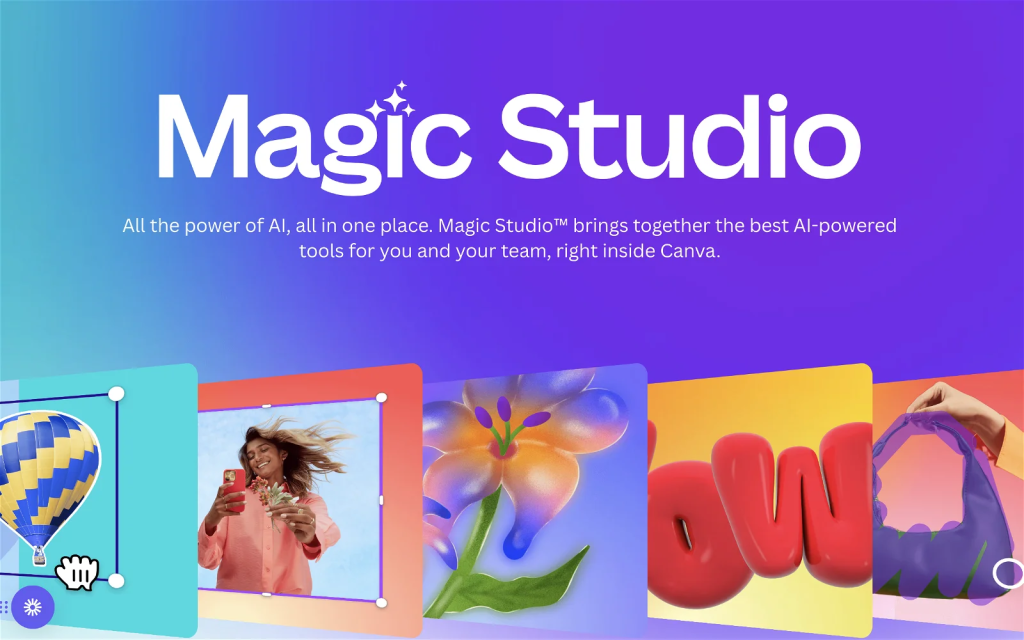
For individuals looking solely for an AI presentation maker, Gamma AI takes the cake. In my opinion, Gamma AI has better design elements and features thanks to its many transitions, templates, and drag and drop features. Additionally, Gamma can take not only text prompts, but also PDFs and URLs, something Magic Design can’t do. On the other hand, Magic Design is better suited for individuals who already use Canva for presentation making.
Overall, Gamma AI has so much more capabilities and design features, whereas Canva Magic Design is best used as a simple aid for presentation making.
Gamma AI vs Presentations.AI
Presentations.AI is another major AI presentation maker that uses text prompt inputs. The AI tool can use its advanced AI model to create PPTs, infographics, charts, timelines, project plans, reports, product roadmaps and so much more.

In terms of design ability, both are extremely similar. Gamma AI usually offers more unique designs, whereas Presentations.AI leans more towards basic and stylish designs. Overall, both AI softwares are similar in ability when it comes to presentation making, the only difference being that Gamma AI also generates websites. To dive deeper and learn more about Presentations.AI, click here.
Is Gamma worth it?
Gamma AI stands out as one of the leading AI presentation makers available today. With its robust features, versatile capabilities, and wide range of applications, it is a preferred choice for countless users seeking to enhance their presentation-making process. Student, educators, and professionals can all use Gamma AI.
The best part about this whole process is that anyone can try it out risk-free with a free plan. At the end of the day, Gamma AI can save you hours of your time, so in my opinion, I believe Gamma AI is 100% worth it.
Frequently Asked Questions
Is Gamma free
Yes. Gamma offers a free plan/trial that allows for users to test out its capabilities before spending any money.
How much does Gamma cost?
Gamma’s pricing ranges from free to $15 a month. To learn more about each plan, check the Pricing section of this post.
How does Gamma work?
Gamma’s AI engine takes your raw text and transforms it into polished, professional content almost instantaneously.
How to remove Gamma watermark?
The Gamma watermark can only be removed with the Plus plan. To learn more about each plan, check the Pricing section of this post.
How can I download my presentation from Gamma?
Can I load my Gamma presentation to Canva?
Yes, you can export your Gamma presentation as a PDF or PowerPoint file and then import it into Canva.
Who developed Gamma?
Grant Lee, Jon Noronha, and James Fox are the co-founders of Gamma.
Make a one-time donation
Make a monthly donation
Make a yearly donation
Choose an amount
Or enter a custom amount
Your contribution is appreciated.
Your contribution is appreciated.
Your contribution is appreciated.
DonateDonate monthlyDonate yearly



 The Tech Crib
Leave a comment