
What is Luma AI?
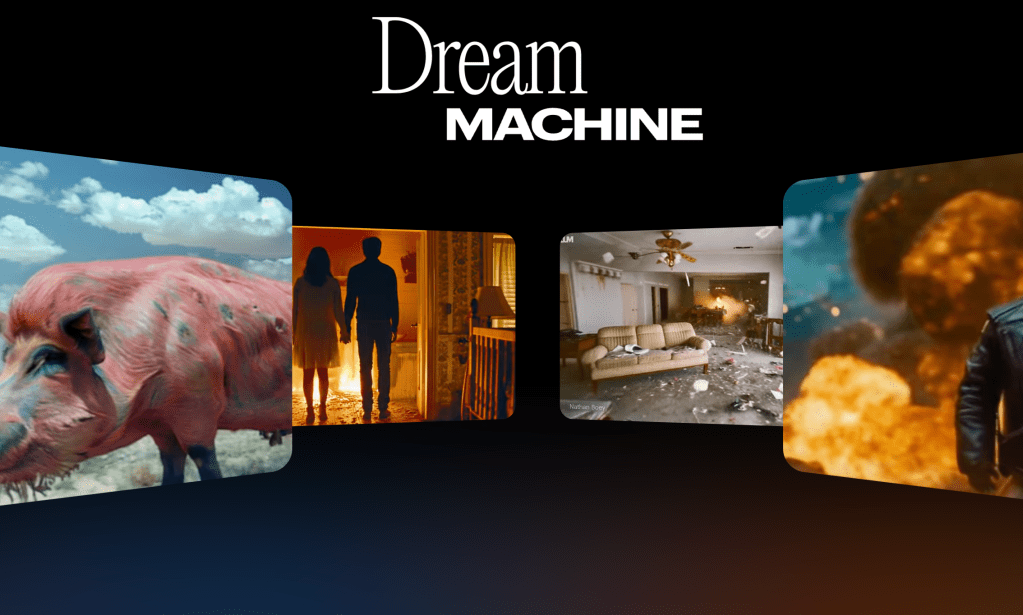
Luma AI is an innovative platform aimed and purposed to simplify 3D content creation using AI technology. With Luma AI, users can quickly generate detailed 3D models and videos straight from text-based prompts. Thanks to an extremely advanced AI model, Dream Machine, Luma AI has become recognized as a top AI software. To truly assess and understand if this software is right for you, explore my comprehensive Luma AI review.
Luma AI Use Cases
AI is the undisputed fastest-growing technology in the whole world. Hence we see our lives becoming more and more influenced and dependent on AI. Luma AI and AI art generators have a range of real-life applications. These include content creation, social media management, and so much more. Check out my last post which reviews the use cases of AI in the real world.
Luma AI Pricing

As you can see above, Luma AI offers five different pricing plans, each tailored to different needs. The price ranges from $0 a month to $399.99 a month. Let’s actually explore the benefits that come with each plan:
FREE
Who doesn’t love a free plan? Luma AI’s FREE plan is a great option for those looking to just mess around. It allows users to test the power of Dream Machine or maybe even just occasionally use it for fun. The plan includes 30 generations per month and basic priority with their support team. Luma AI’s free plan doesn’t include any commercial use.
LITE
The LITE plan isn’t anything LIGHT at all. At $7.99 a month, the LITE plan includes 70 monthly generations and high priority with their support team. The LITE plan is better suited for people looking to use Luma AI’s generated content for personal projects. It is also suitable for business projects that don’t demand too much.
STANDARD
The STANDARD plan is where things start to get serious. Priced at $23.99 a month, this plan offers 150 monthly generations and high priority to their support team, ensuring you’re never stranded. This plan gives you the ability to commercially use your AI art generations and remove the watermark. The STANDARD plan is perfect for those looking to regularly depend on Luma AI for projects and businesses. With more value and versatility, it’s the go-to choice for users who need that extra creative boost without going overboard.
PLUS
The PLUS plan is the next most feature-advanced plan. The only differences between the PLUS and STANDARD plans are the price, number of creations, and priority level. The PLUS plan is $51.99 a month and includes up to 310 generations a month. You also get access to “higher” priority. The PLUS plan is really meant for people who require large loads of AI generation monthly.
PRO
The PRO plan is where things get really crazy. For $79.99 a month, you get up to 480 monthly generations and everything else included in the PLUS plan. I can only imagine a plan this hefty being used for small businesses or companies.
PREMIER
The PREMIER plan is the biggest and the baddest plan of them all. For $399.99 a month, you get an astounding 2,430 generations per month and everything else included in the PRO plan. This plan is really only meant for medium-sized businesses. It also suits some small businesses looking to grow their dependency on AI for content generation.
Testing Luma AI Dream Machine’s Actual Video Quality
Everything I’ve written in this post would be meaningless if Luma AI’s Dream Machine AI model was horrible. Luckily, that isn’t the case. Let’s look at a real Luma AI prompt and then analyze the generations in comparison to popular competitors:
Prompt: “Based on the provided image, generate a cinematic set of scenes. Make it seem like a movie.”
Here I used the Luma AI image to video feature. The provided image was just my logo:

The output was actually really surprising and impressive:
After the generation was produced, I had the option to modify the video with another prompt so I typed in:
Modified Prompt: “Add more scenes to this to make it around ten seconds longer”
This part tested my patience because, for some reason, this generation took TEN MINUTES. But anyway here was the result:
Now the first thing that comes to mind is that the new generation wasn’t around ten seconds longer, it was only 4 seconds longer. This probably means that while Dream Machine can intelligently process descriptive words, it can’t process the more basic tasks like specifying a duration.
Luma AI Alternatives
Now that we are finished analyzing a sample Luma AI prompt, let’s put Luma AI’s Dream Machine to the test against Kling AI, another major AI art generator. To look into an in-depth review of Kling AI and its features, click here. Additionally, if you want to see an in-depth review of Leonardo AI, another AI art generator specifically for images, click here. We will only be comparing Luma AI and Kling AI though.
Prompt: “generate a video showing two people in a heated debate and then having a dance battle to resolve it”
Luma AI generated this:
Kling AI generated this:
When it comes to following the prompt, Luma AI was the clear winner, being the only one that actually incorporated any form of dancing. Despite both Luma AI and Kling AI having their flaws, Kling AI excelled in delivering a much higher level of realism. While Luma AI made a notable error, such as rendering a woman’s head turned 180 degrees, Kling AI avoided such glaring issues, resulting in more lifelike and accurate outputs. Both AI generation tools performed similarly in terms of processing time.
Verdict
At the end of the day, it’s crystal clear that Luma AI stands as one of the most cutting-edge AI art generators on the market. With its extensive variety of plans and robust features, Luma AI is an ideal choice for virtually anyone. Whether you’re a hobbyist seeking creative fun or a business professional aiming to integrate AI, Luma AI offers everything you need to meet your artistic goals. With its user-friendly interface, advanced technology, and flexible pricing options, Luma AI is not just a tool—it’s a game-changer for anyone serious about harnessing the power of AI in their creative or professional endeavors.
Frequently Asked Questions
Is Luma AI free?
Yes, Luma Dream Machine AI includes a completely free plan for users looking to use it’s AI-powered features for art generation.
How much does Luma AI cost?
Luma AI includes plans starting at $0 a month to $399.99 a month. To see more about pricing check out the pricing section of this blog.
Are Luma AI’s generation/creations public?
Yes, all of your generated scenes are completely private by default. Your scenes will only be made public if you choose to share them.
Can Luma AI be used commercially?
Luma AI can be used commercially only if you have the standard tier or higher. The free and Lite plan don’t include commercial-use.
Can Luma AI make NSFW
Luma AI prohibits the generation of NSFW content. Creating NSFW content with Luma AI would typically be against its guidelines and policies.
Is there Luma AI for Android?
Luma AI is compatible with and works on both Android and IOS.
How long does Luma AI take?
Luma AI generations usually take around 8-9 minutes in my experience. However, it also depends on the device and Wi-Fi you are using.
How do you download Luma AI videos?
After selecting your creation, simply click on it. You’ll find a “Download” button conveniently located below the image. Click the button to save your creation directly to your device.
Who owns Luma AI?
Luma AI was founded by Alex Yu and Amit Jain in 2021 and is headquartered in Palo Alto, CA.
“AI can paint beauty into existence, but in its own existence, it risks erasing the soul of the artist.”
Krish S.




 The Tech Crib
Leave a reply to PlayHT Review 2024: Unveiling Features, Pricing, and Top Alternatives – Is This the Best AI Text-to-Speech Software Ever? – The Tech Crib Cancel reply